Validate, inspect and preview your OGraf graphics.
Check OGraf v1 packages, find manifest and runtime issues, and test your graphics directly in the browser.
Free and open source. No account required.
Your package files stay on your computer.
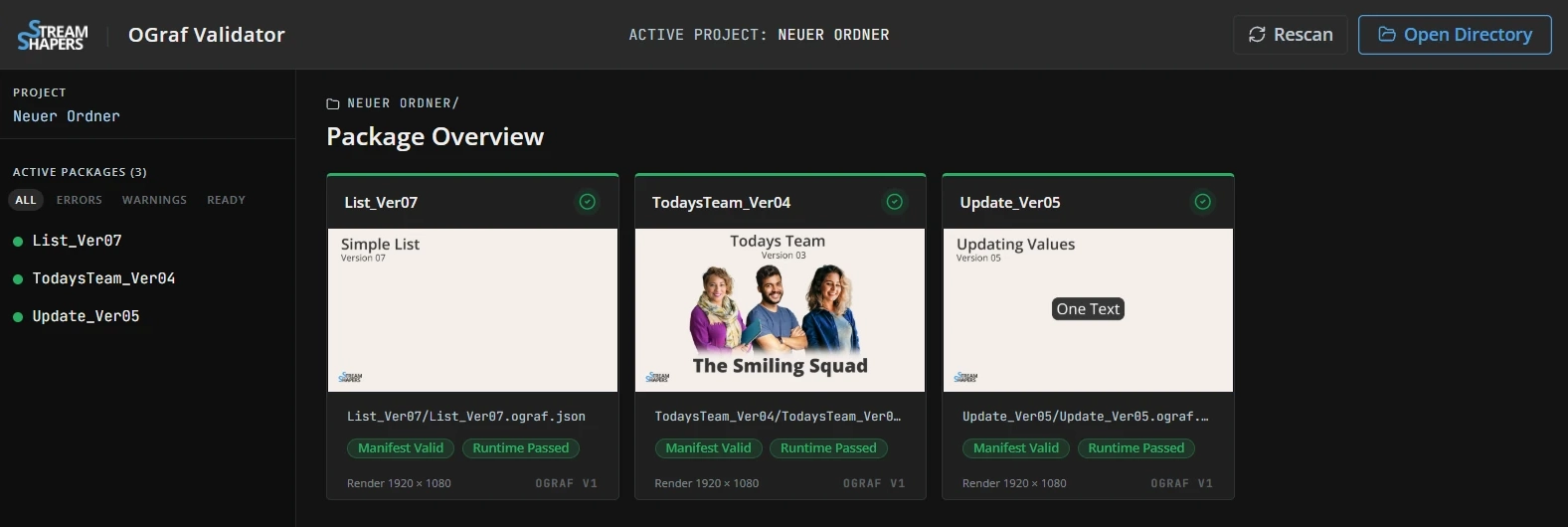
Open a folder
Select a local folder to discover the OGraf packages inside it.
Validate
Check manifests and files, then run automatic checks on statically valid graphics.
Inspect & preview
Explore each package, try different data and test its animation steps.
Export a report
Keep the validation results with your project as HTML or JSON.
From a folder of packages to a result you can trace.
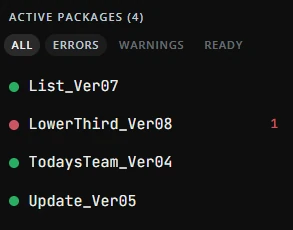
See which packages need attention.
Scan a folder of graphics and see the status of every package. Manifest and runtime results appear separately, so you can spot a graphic that passes its file checks but fails when it runs.
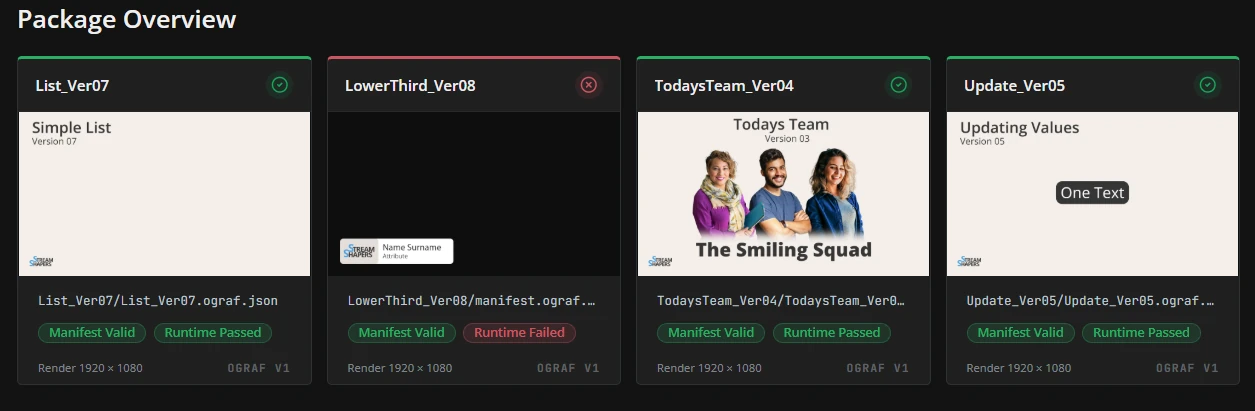
Errors
Find problems in the manifest, package files or Graphic API.
Warnings
Review issues that need attention but may still allow the graphic to run.
Inconclusive checks
See where the browser could not reliably complete a check.
Check how your graphic behaves.
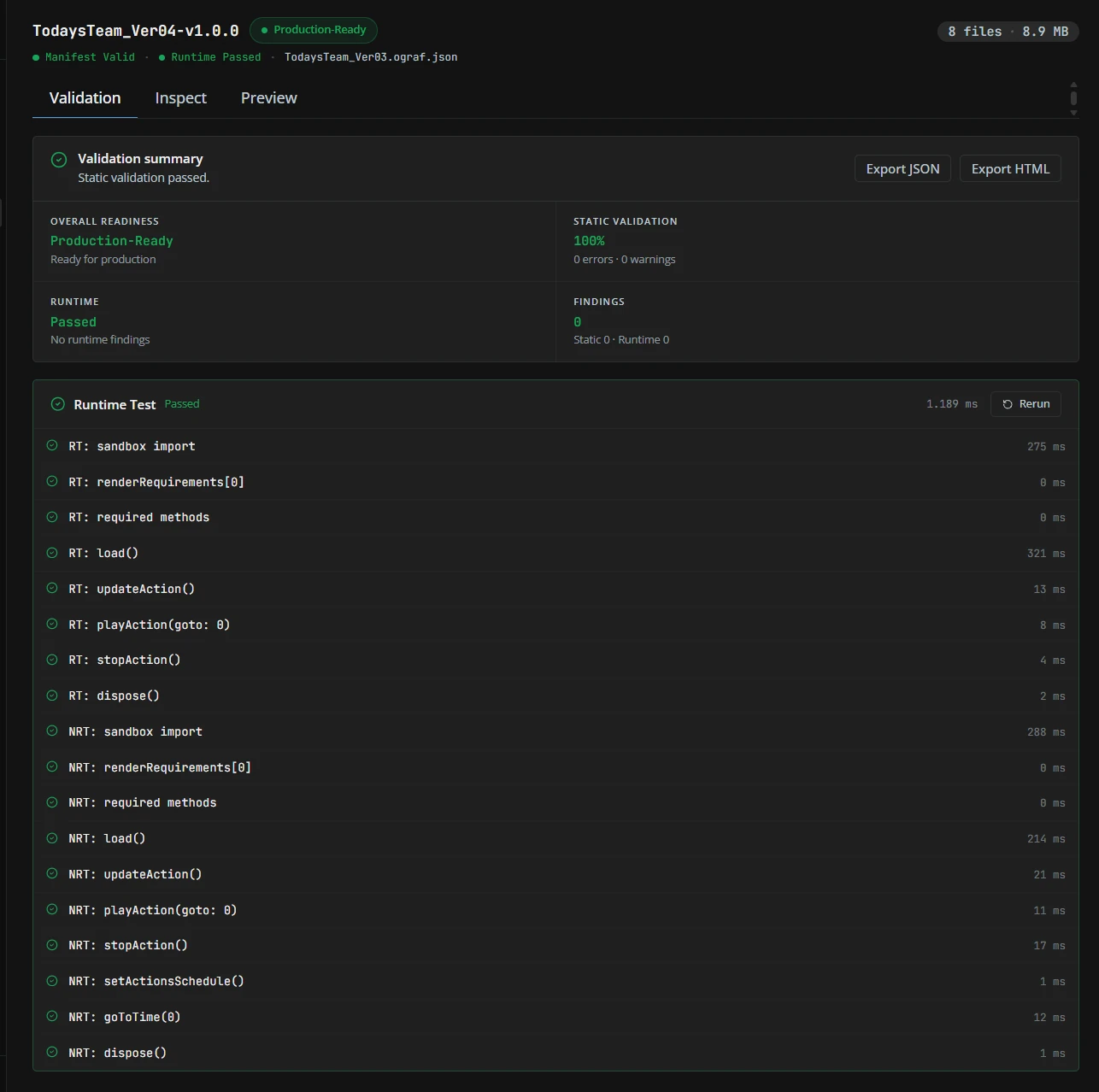
For statically valid graphics, the app automatically checks the supported realtime and non-realtime modes. Follow each API step, from loading the graphic to updating, playing, stopping and disposing it.
- Separate results for each supported mode
- Individual steps with status and timing
- Rerun the checks after making changes
Look inside. Change the data. Follow every step.
Understand what’s inside your package.
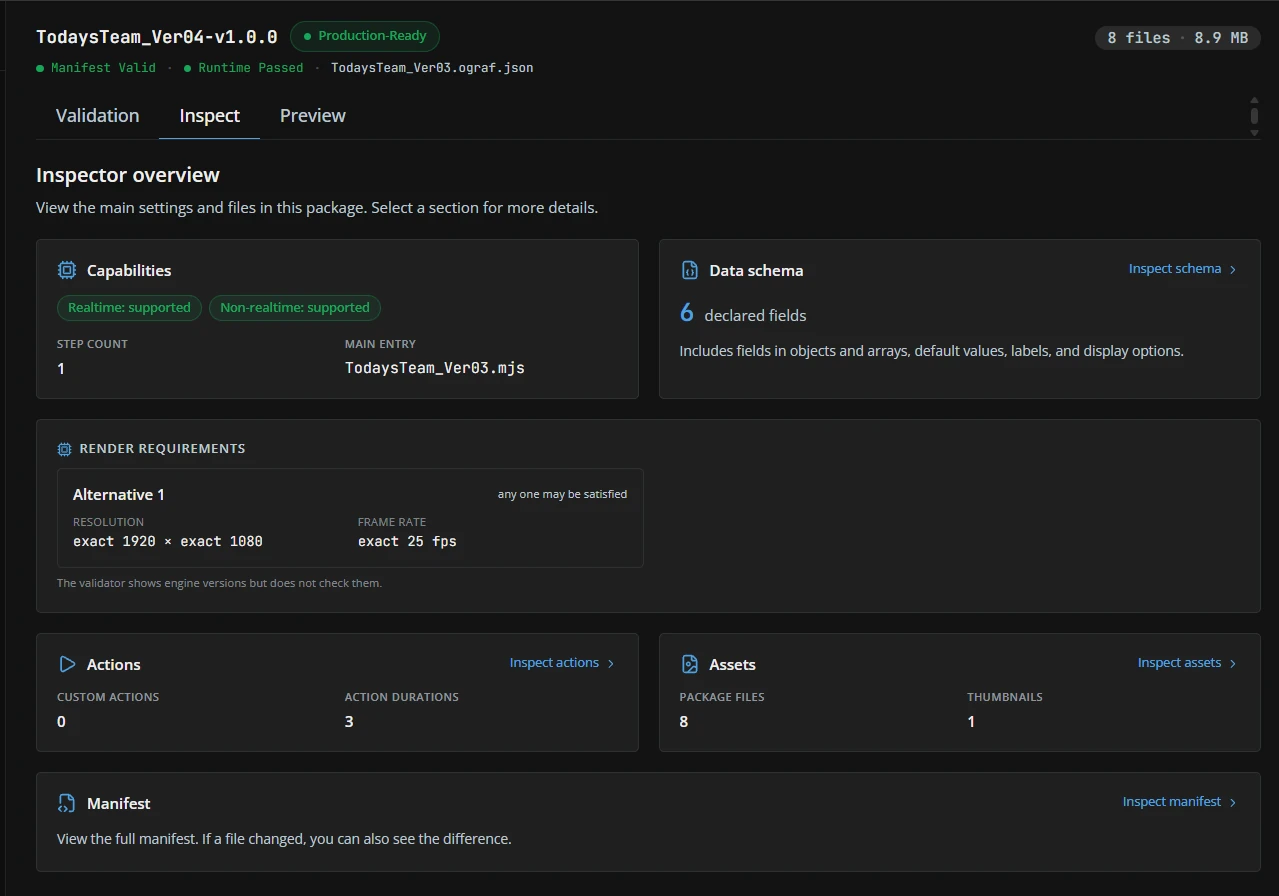
See what a graphic declares before you put it to work. Explore its capabilities, render requirements, actions, files and full manifest from one overview.
- Data schemaInspect GDD, the graphic’s data schema, including nested fields and defaults.
- Render requirementsReview dimensions, frame rates and declared engine requirements.
- Package contentsFind assets, thumbnails and action details alongside the manifest.
Try your data.
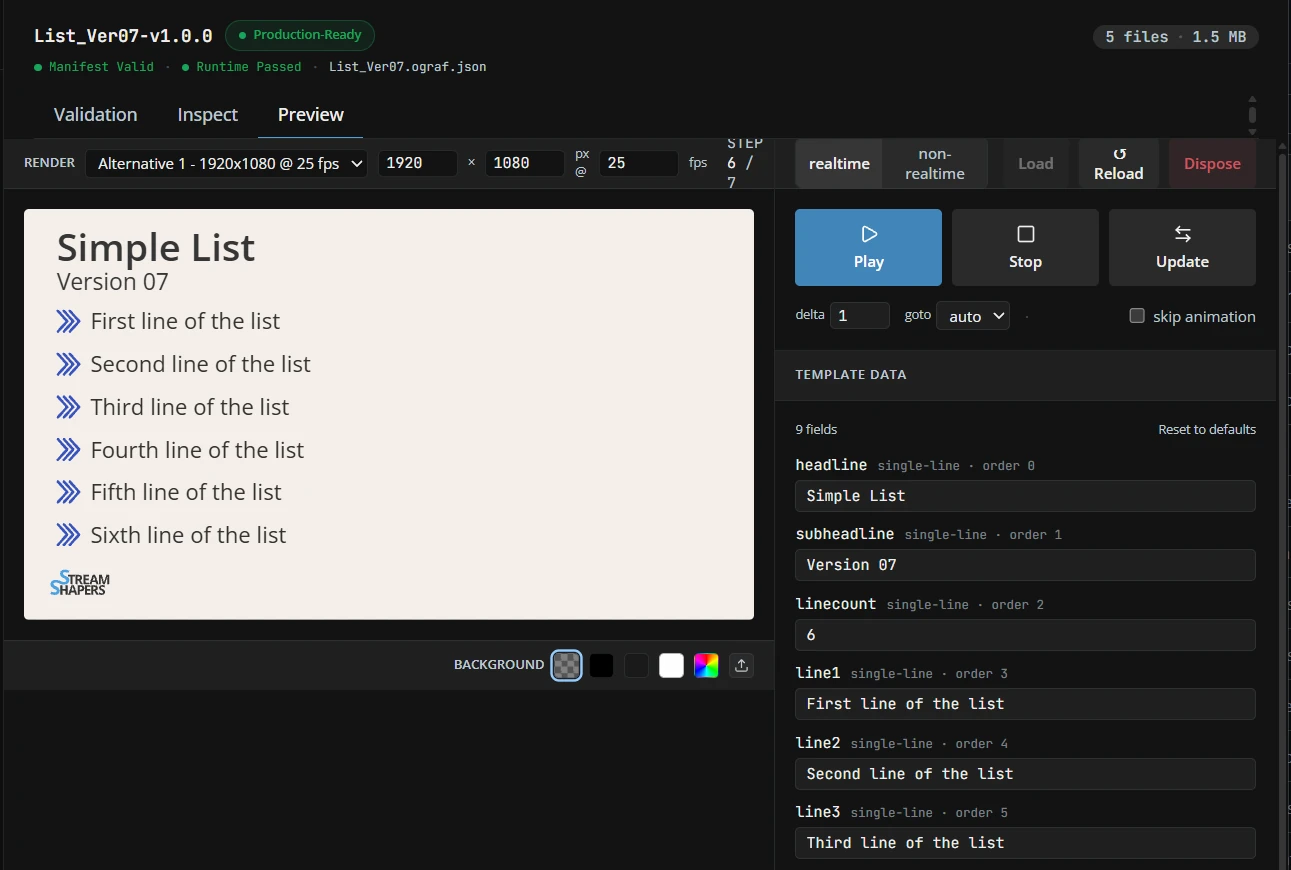
Test every step.
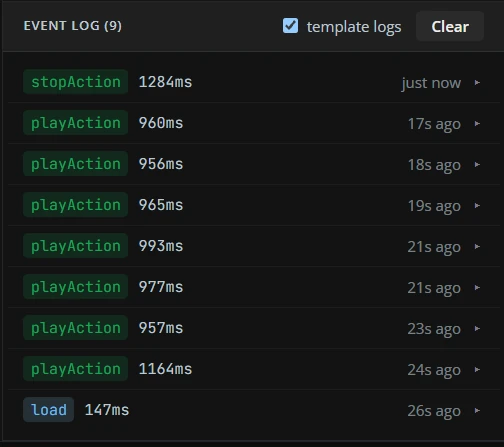
Change data in the preview, play and stop the graphic, send updates and move through animation steps. Switch between supported runtime modes and use the event log to follow what happened.
The same static checks, inside your own tools.
Bring OGraf validation into your own tools.
Use the same validation core in your own applications, build scripts and CI checks, in Node.js or the browser.
- Manifest validation
- Check OGraf v1 manifests, GDD schemas and additional specification rules.
- Package checks
- Use
validatePackagewith your ownVirtualFSfile adapter to check referenced files and assets. - Ready to integrate
- TypeScript support, structured results and zero runtime dependencies.
npm install @streamshapers/ograf-validator-coreimport { validateManifest }
from '@streamshapers/ograf-validator-core';
// Your parsed OGraf manifest
const result = validateManifest(manifest);
result.valid;
result.errors;
result.warnings;The core provides static validation. Runtime tests and interactive preview are part of the browser app.
Know your graphic.
Check it before handover.
Bring an OGraf package from your workflow and take a closer look.